
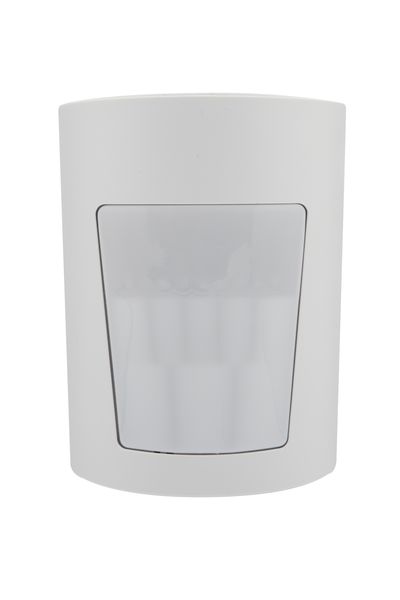
MP-802 PG+ Indoor Motion PIR
Supplier item link
PG2+ Wls PIR PET Indoor MP-802
Item no. 122002 · Teletec
450.45 NOK · VAT basis not confirmed
Open 122002 at Teletec ↗Troubleshooting – step by step
Motion · PowerG+ · Wireless link to panel
PowerG alone does not establish compatibility with your PM10 or IQ Panel. Check the exact model, frequency, panel and software.
PowerG+ is listed separately from PG2. Do not select this as a verified PM10 replacement.
Guides and documents
- Installation Guide English - MP-802 PG+ Installation Guide
- Flyer English - PowerG Plus Sales_Flyer
- Comparison Chart English -PowerG vs PowerG_Plus Comparison Chart
Separate data sheet: missing from this entry.
A Norwegian step-by-step customer guide and dedicated troubleshooting video are not yet documented for this model. Use the model manual for opening and battery type.
Supply chain and compatibility
Help when the product does not work
Wireless sensor: Read battery and connection state in the system. For low battery, use the model battery guide and check the battery type and whether it is replaceable. Note new metal objects or other changes near the sensor.
Choose the symptom and check the model scope before following the steps. This is troubleshooting, not a list of confirmed product defects.
General advice — model-specific fault procedure missing.
Motion detector: unexpected alarm or no response
Applies to: General advice for the sensor type — not a verified procedure for this model. Use the model manual for opening, battery type, testing and settings.
- Check which detector and event are named in the alarm. Record the time and whether the system was armed.
- Look for furniture, curtains or objects blocking its view. Note changes involving heaters, sunlight, draughts or pets in the area.
- Do not rely on the LED alone as a functional test. Arrange a walk test with the monitoring service using the model test procedure; some detectors have a sleep period.
Check the result: An agreed test is registered from the correct detector.
Stop and get help: For repeated alarms or missed detection, contact the installer. Do not change sensitivity or position without checking coverage.
Background source / example model (not model verification): support.ajax.systems — open documentation