
SMD-426 / SMD-427 PG2 — battery replacement
Troubleshooting – step by step
For SMD-426 PG2 (smoke) and SMD-427 PG2 (smoke and heat). Figures from original manual D-302894, an older revision. Check that the label and battery holder match; SMD-429 and other models have separate manuals.
For smoke, fire or an uncertain emergency: evacuate and call 110 in Norway. This guide is for planned maintenance.
Step 1
Arrange maintenance and testing with the system manager and monitoring station where applicable. Disarming intrusion protection does not stop fire reporting.
Step 2
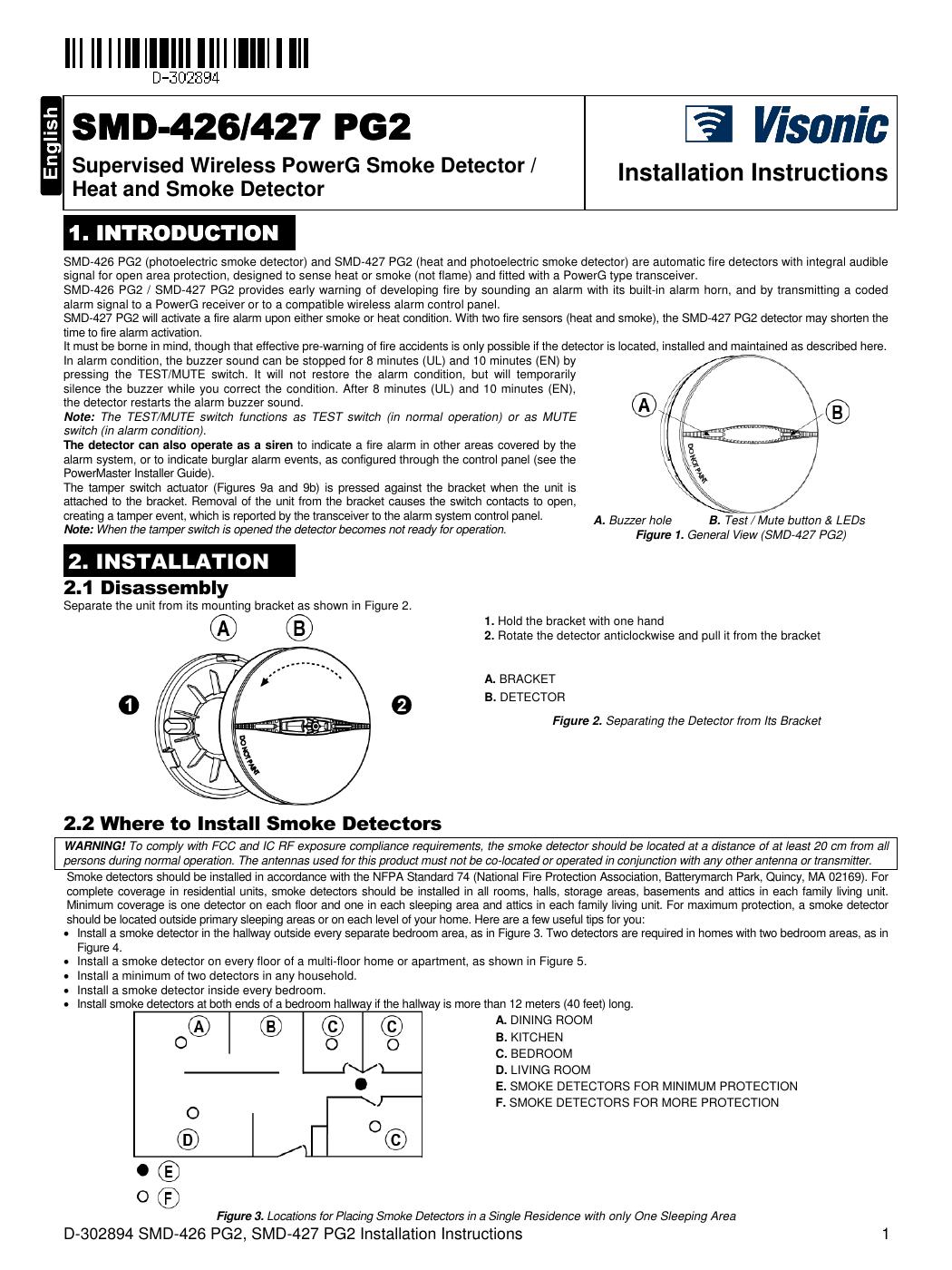
Hold the bracket and rotate the detector anticlockwise. Pull it off as shown in figure 2. Removal may cause a tamper warning.
Step 3
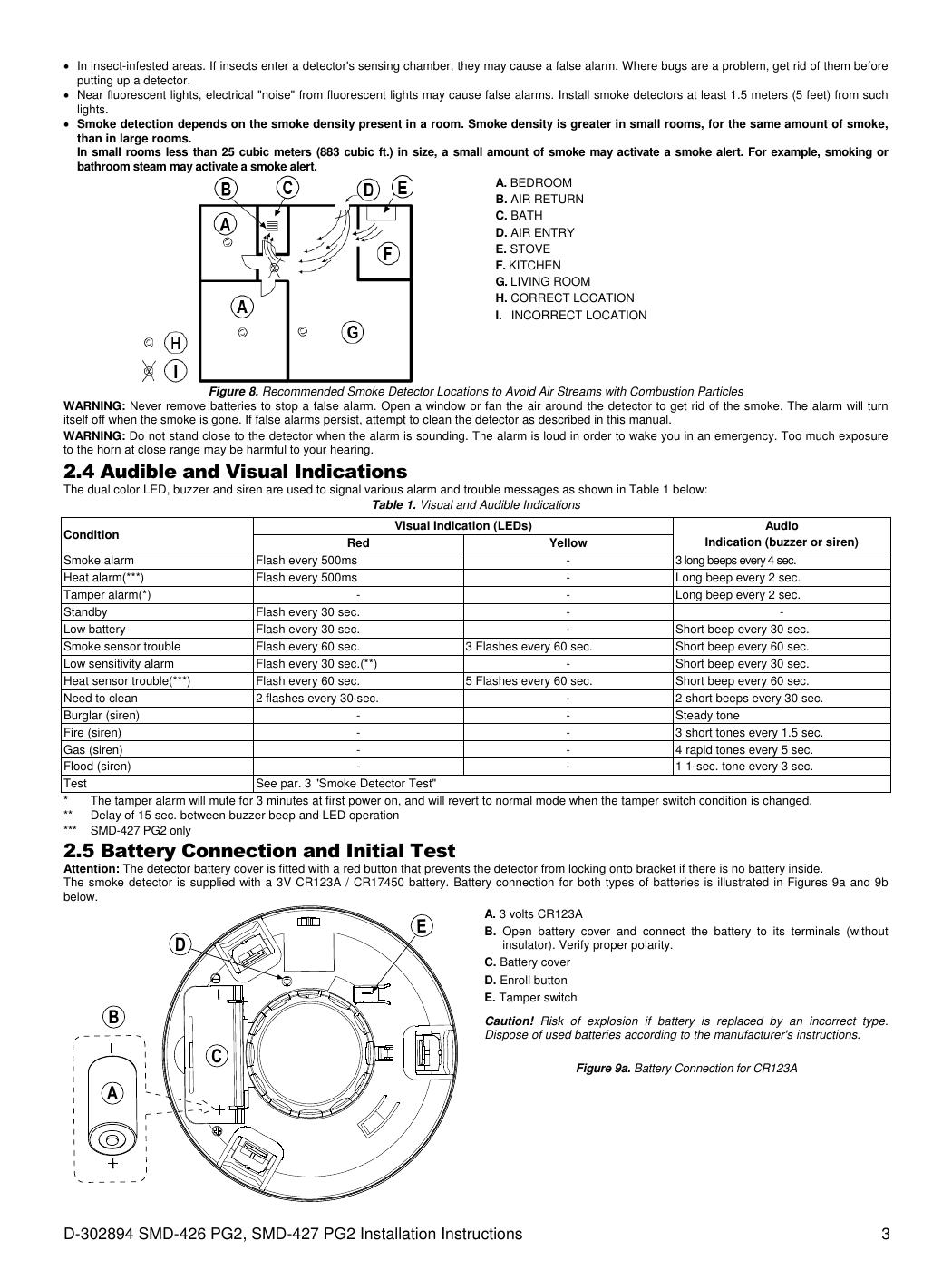
Open the battery cover. Read the battery type: the manual shows two variants, 3 V CR123A (figure 9a) or 3 V CR17450 (figure 9b). Do not choose by appearance alone.
Step 4
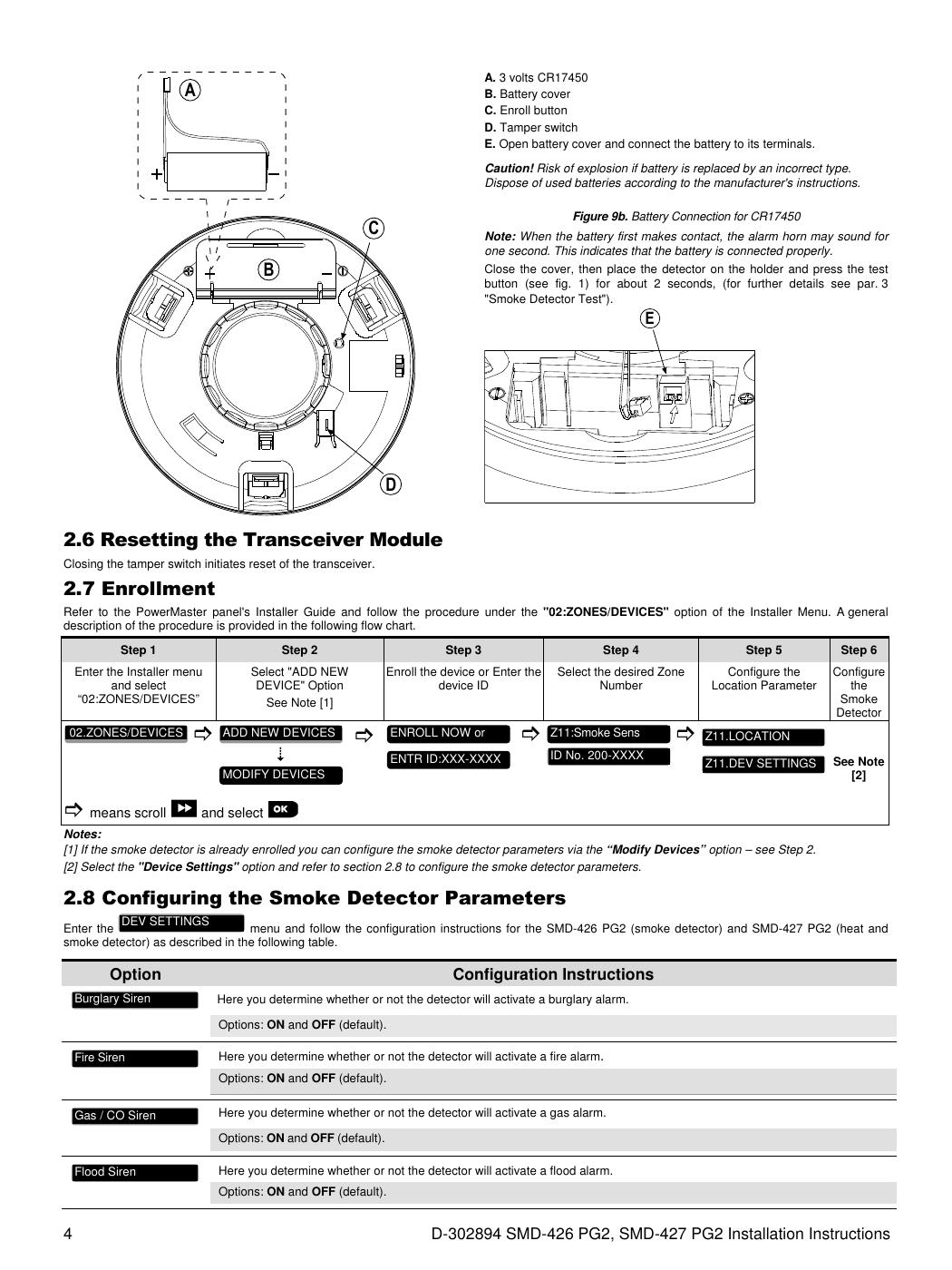
Insert a new battery of the type and form specified for your variant. Follow the holder polarity. See figure 9b on the next page for CR17450.
Step 5
Close the battery cover and fully refit the detector to the bracket. Do not force it; the battery interlock prevents mounting without a battery.
Step 6
Press the test button for approximately two seconds as stated in the manual. Check sound and light and that tamper/low-battery indications clear at the panel. Confirm agreed receipt of the test. If it fails, contact the installer; do not leave the detector dismantled.
Newer manufacturer entry — check the revision before work
Original manual used for the figures (English PDF)
Help when the product does not work
Choose the symptom and check the model scope before following the steps. This is troubleshooting, not a list of confirmed product defects.
PowerMaster shows NOT READY
Applies to: PowerMaster-10 G2. PG2 accessories only when fitted to this panel; not PowerG+ or IQ Panel.
- Read the display and review open zones/faults as described in the user guide. Record the zone, room and full message.
- For an open door or window message, close it fully. Look to see whether the magnet and sensor are still in place.
- Check the display again. Battery, tamper or communication faults require the named sensor manual. Do not replace the panel battery because of a sensor fault.
- When the panel is ready, use normal arming. Do not bypass an unknown zone or force arm to remove the warning.
Check the result: The panel shows READY with no unresolved fault and normal control works.
Stop and get help: If the zone remains open or the fault concerns communication/tamper, contact support with the zone and sensor model.