
TMD-560 PG2
Supplier item link
PG2 Temp. Detector TMD-560
Item no. 119873 · Teletec
648.45 NOK · VAT basis not confirmed
Open 119873 at Teletec ↗Troubleshooting – step by step
Battery replacement and checks — step by step
3 V CR123 · Panasonic / Sanyo / GP
For maintenance of an installed sensor with a matching label. Arrange maintenance with the system manager and monitoring station where applicable. New installation, relocation and enrollment are installer tasks.
- Use a flat screwdriver in the slot to open the lid. Undo the screw and separate cover from base. Leave the temperature probe wires and jumper untouched.
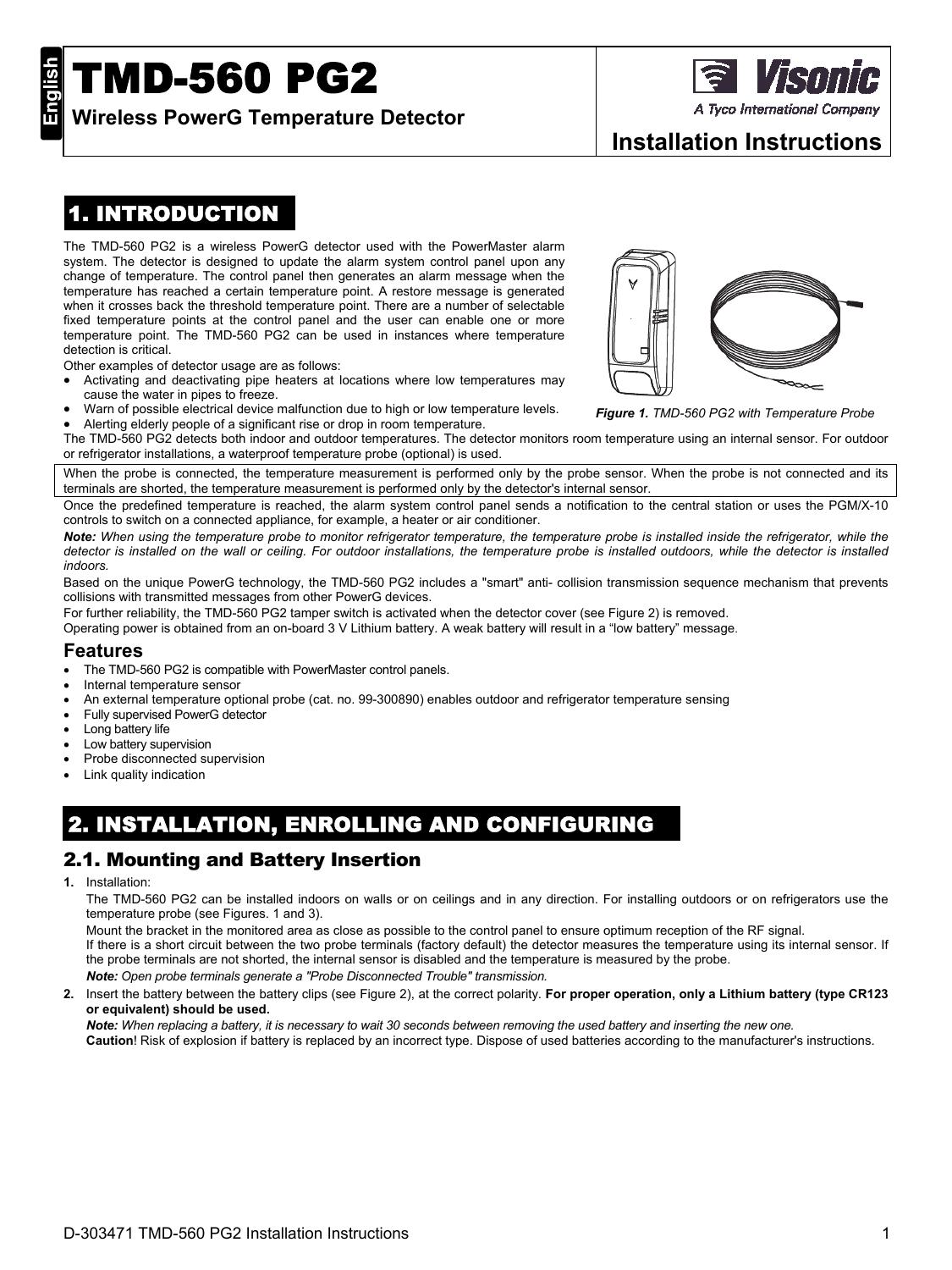
Original page with model figures. Select to enlarge. - Remove the battery and wait 30 seconds before fitting a new CR123 with the correct polarity. This interval is specified for the TMD-560.
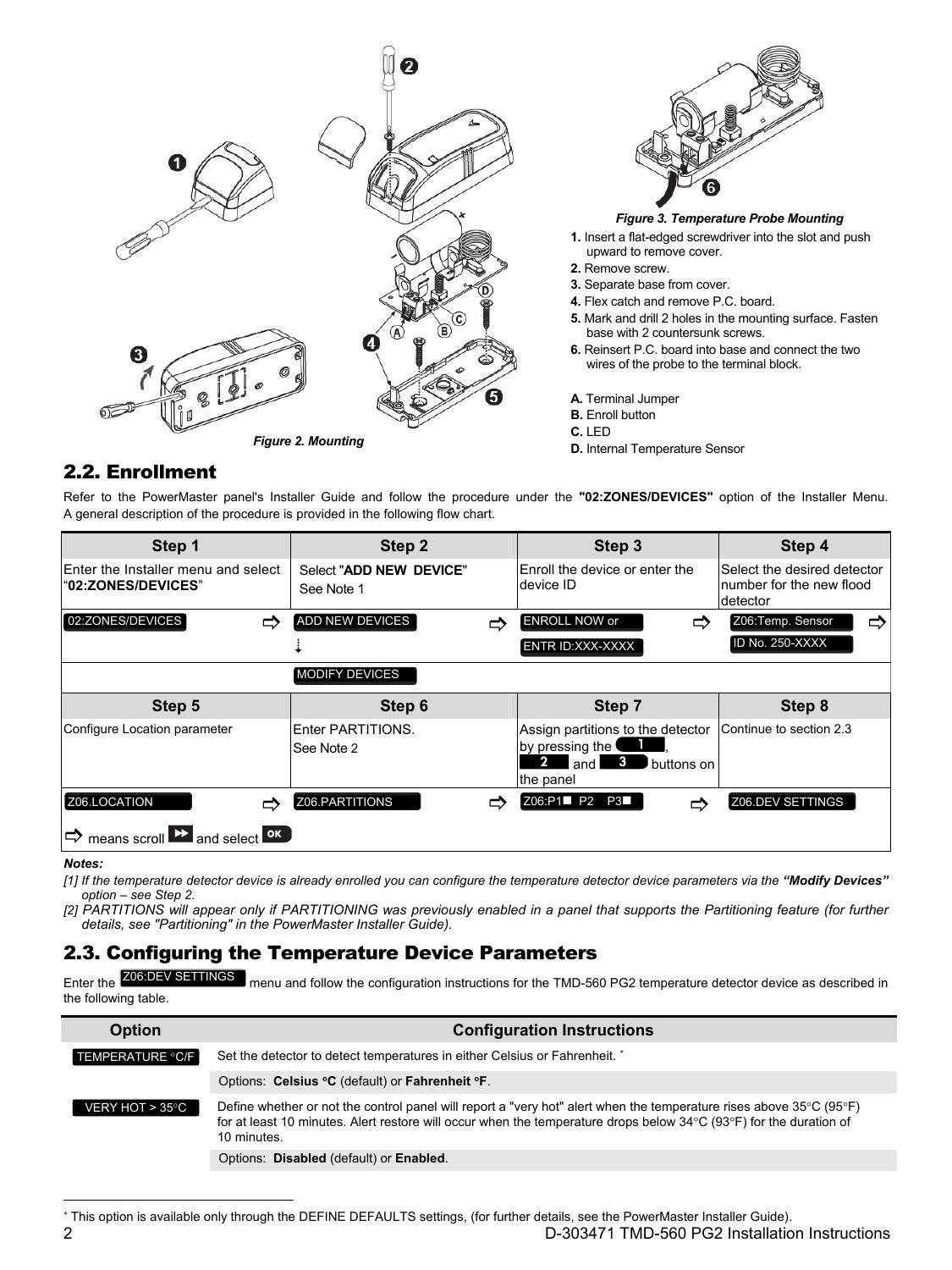
Original page with model figures. Select to enlarge. - Refit the cover, screw and lid. Check the temperature reading and cover tamper status.
- Probe Disconnected Trouble means the probe input is open. Ask the installer to inspect the probe and wiring; do not short the input to hide the fault.
If the check fails: check the battery type, polarity and cover. Record the fault message and contact the installer. Do not delete the sensor or disable supervision as a workaround.
Temperature · PG2 / PowerG · Wireless link to panel
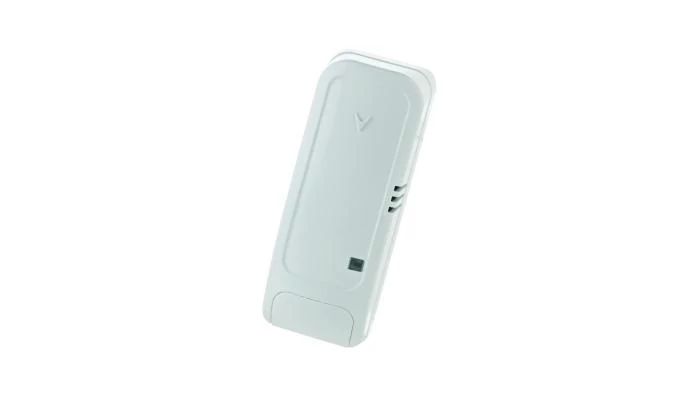
PowerG alone does not establish compatibility with your PM10 or IQ Panel. Check the exact model, frequency, panel and software.
Guides and documents
Separate data sheet: missing from this entry.
Step-by-step maintenance is provided above. A dedicated model-specific troubleshooting video has not been verified.
Supply chain and compatibility
Help when the product does not work
Choose the symptom and check the model scope before following the steps. This is troubleshooting, not a list of confirmed product defects.
PowerMaster shows NOT READY
Applies to: PowerMaster-10 G2. PG2 accessories only when fitted to this panel; not PowerG+ or IQ Panel.
- Read the display and review open zones/faults as described in the user guide. Record the zone, room and full message.
- For an open door or window message, close it fully. Look to see whether the magnet and sensor are still in place.
- Check the display again. Battery, tamper or communication faults require the named sensor manual. Do not replace the panel battery because of a sensor fault.
- When the panel is ready, use normal arming. Do not bypass an unknown zone or force arm to remove the warning.
Check the result: The panel shows READY with no unresolved fault and normal control works.
Stop and get help: If the zone remains open or the fault concerns communication/tamper, contact support with the zone and sensor model.