
DMSS: I cannot open live video
For Dahua devices already added to DMSS. DahuaWiki illustrations may differ from your app version.
For customers
Follow these steps
Open the device list and tap the play button beside the correct recorder or camera.
Image status for this step
A dedicated image of this step has not been verified.
If only four channels appear, swipe left in the camera view to see the next ones. A channel missing from the first screen does not necessarily mean camera failure.
Image status for this step
A dedicated image of this step has not been verified.
To select channels yourself, open Live, tap the channel selector at the top right, select the cameras and choose Start Live View.
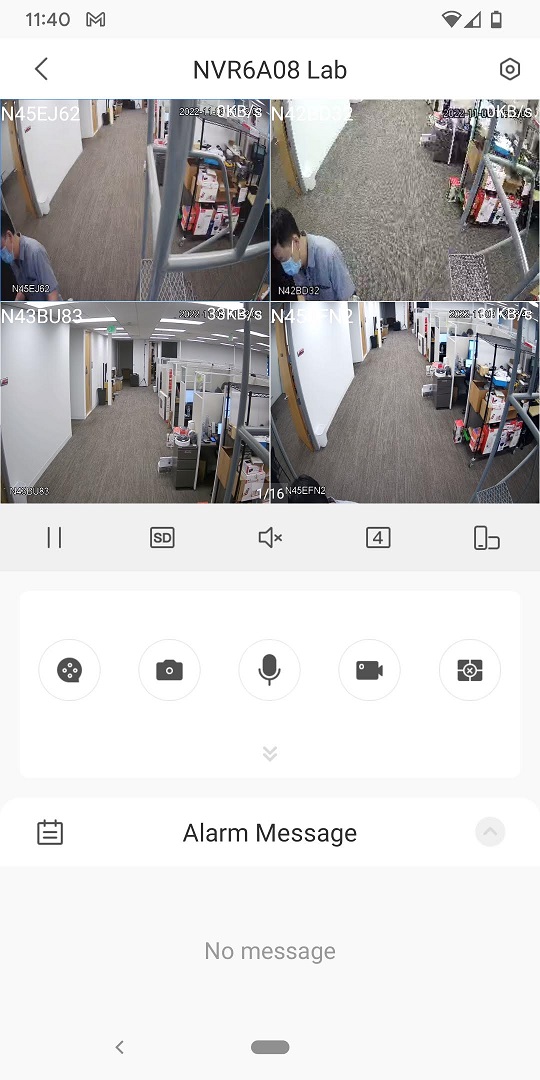
Original illustration from the source below. Menus and appearance may vary by version. Select to enlarge. · Source
What you should be able to confirm
The correct camera shows updating video.
After service, confirm the result with the user and notify the system manager/monitoring station as agreed. One working function does not mean the whole case is resolved.
Watch the relevant procedure
Still not resolved?
If the device is Offline, follow the P2P guide. If others can view it but you cannot, ask the owner to check your channel permissions.
Prepare a support summary