
DMSS: I am not receiving phone notifications
For a DMSS account with access to the camera and relevant events.
For customers
Follow these steps
At the device, tap … → Device Details → Multi-channel Alarm Subscription.
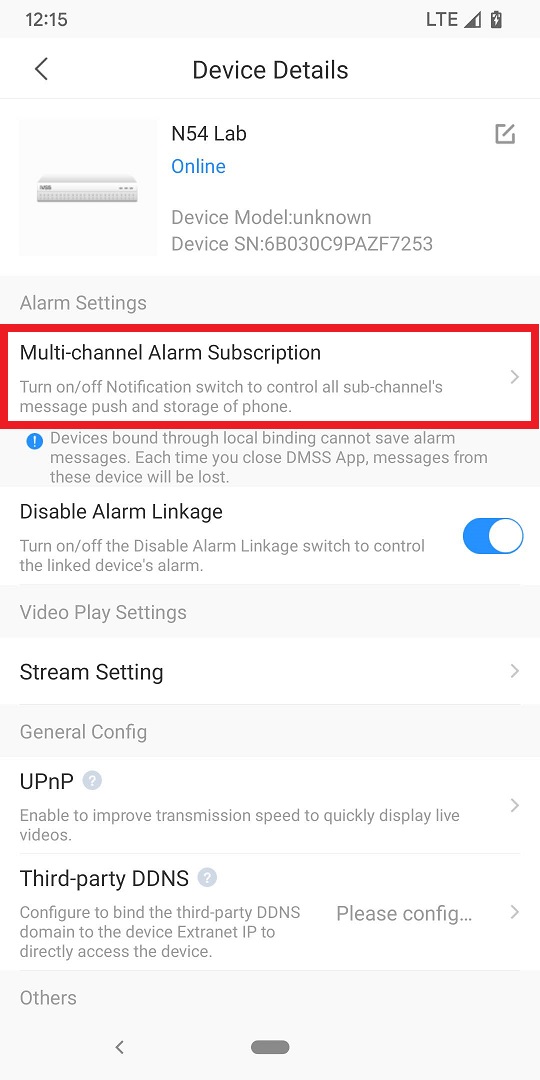
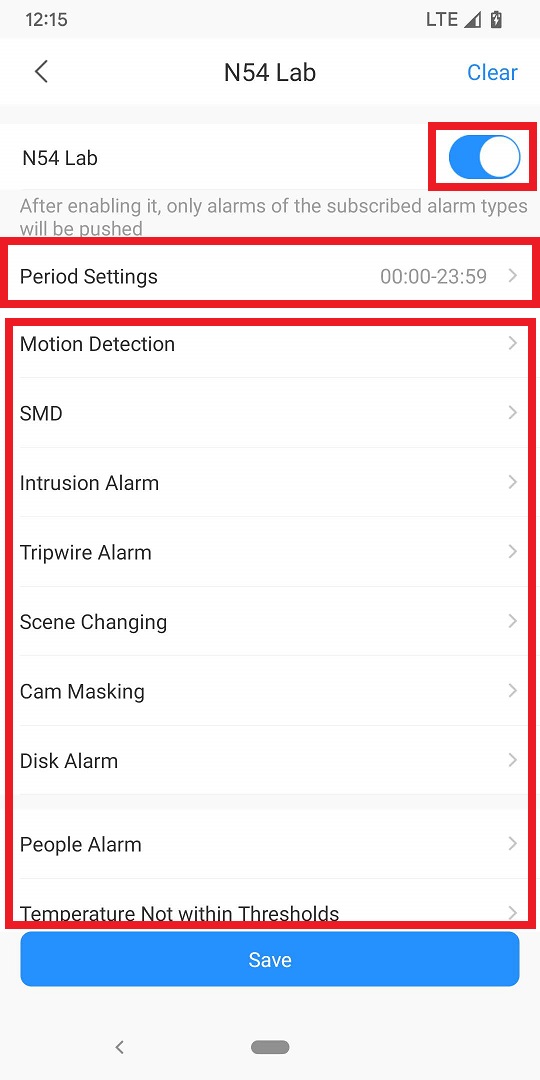
Original illustration from the source below. Menus and appearance may vary by version. Select to enlarge. · Source Enable the subscription. Check Period Settings and choose the event type you actually want notifications for.
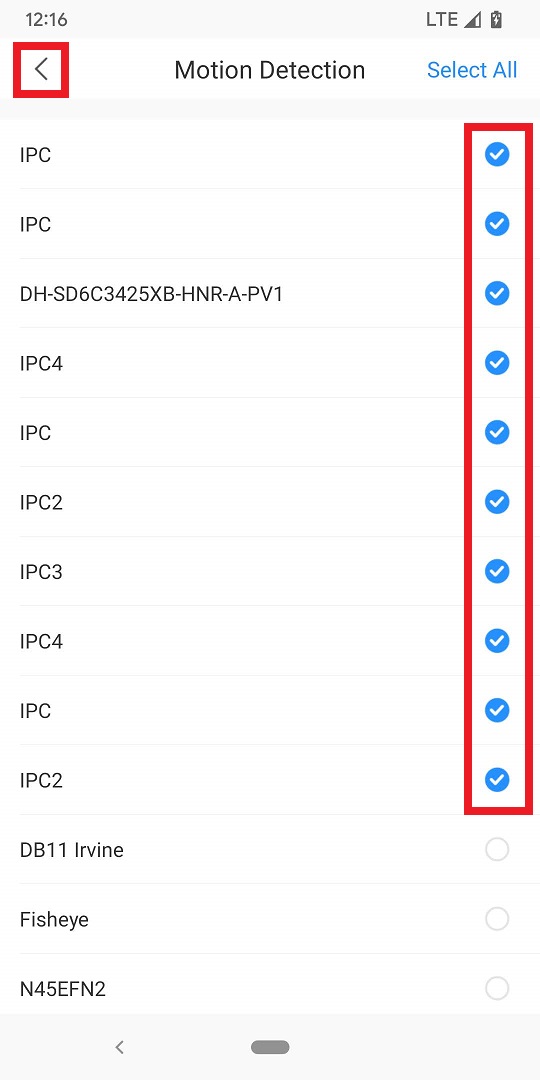
Original illustration from the source below. Menus and appearance may vary by version. Select to enlarge. · Source Select the camera channels. Go back, check the channel count beside the event type and tap Save.
Original illustration from the source below. Menus and appearance may vary by version. Select to enlarge. · Source Check the phone’s notification permission for DMSS and any focus/silent settings. Perform an agreed test of the selected event.
Image status for this step
A dedicated image of this step has not been verified.
What you should be able to confirm
The agreed event produces a notification on the correct phone.
After service, confirm the result with the user and notify the system manager/monitoring station as agreed. One working function does not mean the whole case is resolved.
Watch the relevant procedure
No dedicated troubleshooting video has been verified for this task. Use the specific written source below.
Still not resolved?
If the event is absent from the recorder log, detection/configuration must be checked first. Changing the phone cannot create an event that was never registered.
Prepare a support summary