
Vesta Advanced: share camera access without sharing passwords
For a system owner authorised to share the device. Menu names were read from Vesta’s original app illustration.
For customers
Follow these steps
Open Device Sharing in VESTA Advanced. Select the device you have agreed to share.
Image status for this step
A dedicated image of this step has not been verified.
Under Share Account, verify the recipient account. Under Share Permission, select only the required permissions, such as Video Preview or Playback.
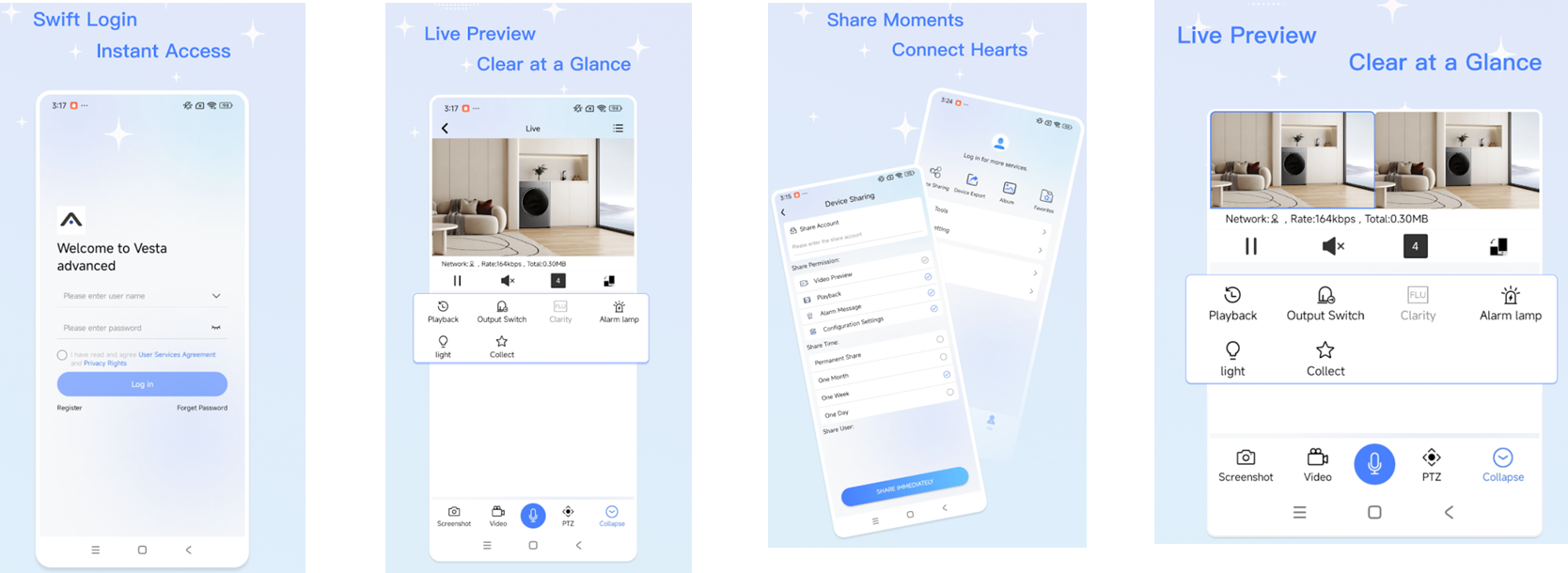
Original illustration from the source below. Menus and appearance may vary by version. Select to enlarge. · Source Check Share Time. Choose a duration matching the agreement and verify the recipient and permissions before Share Immediately.
Image status for this step
A dedicated image of this step has not been verified.
Ask the recipient to open the shared camera and check the agreed functions. If access is missing, check account, duration and permissions.
Image status for this step
A dedicated image of this step has not been verified.
What you should be able to confirm
The recipient has the agreed access without knowing the owner’s password.
After service, confirm the result with the user and notify the system manager/monitoring station as agreed. One working function does not mean the whole case is resolved.
Watch the relevant procedure
Still not resolved?
If the menus differ from the illustration, consult the app video and give support the app version. Do not grant configuration permission merely to solve a viewing issue.
Prepare a support summary