
Vesta Advanced: the right app and first connection
For standalone Vesta Advanced cameras or NVRs. SmartHomeSec integration has a separate guide.
For customers
Follow these steps
Confirm the system is set up for VESTA Advanced. Use the app store links in the GitBook source below. Do not choose an app just because its icon looks similar.
Image status for this step
A dedicated image of this step has not been verified.
Install the app. Follow the manufacturer’s app video for account and device registration; the video does not state an app version.
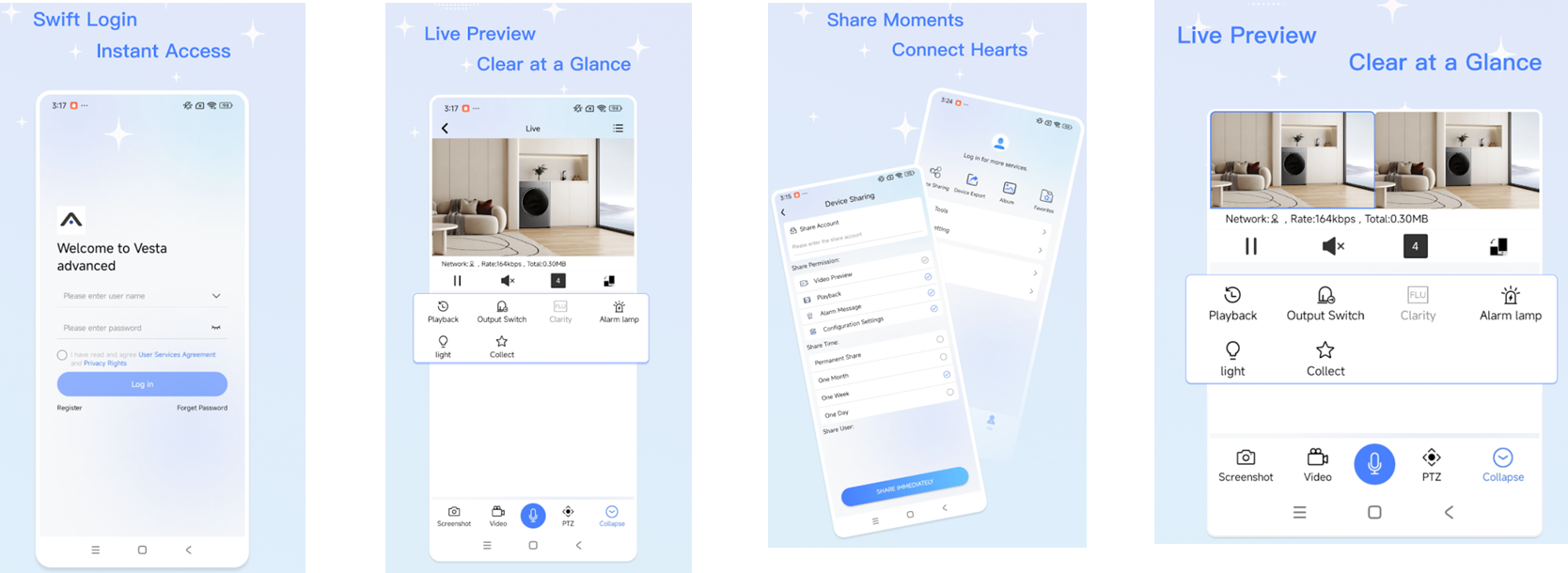
Original illustration from the source below. Menus and appearance may vary by version. Select to enlarge. · Source Register the camera or recorder using the serial number on its label or documentation. Ask the owner or installer to resolve access if it already belongs to another account.
Image status for this step
A dedicated image of this step has not been verified.
Open the correct camera and check that the image timestamp updates. A saved preview is not confirmation of live video.
Image status for this step
A dedicated image of this step has not been verified.
What you should be able to confirm
You see the correct camera with current live video.
After service, confirm the result with the user and notify the system manager/monitoring station as agreed. One working function does not mean the whole case is resolved.
Watch the relevant procedure
Still not resolved?
If registration fails, note the exact message and whether it concerns the account, serial number or device connection. Do not delete an existing system to retry.
Prepare a support summary