Yale Doorman Classic / V2N
Original Yale cover. Select the image to enlarge.
English translation of the Norwegian library. Product names and original documents retain their source language. Model-specific maintenance steps have been reviewed; other text uses assisted translation. Check the original manual before work.

← Product search · All Yale Guides
A direct supplier item link has not been confirmed for this entry. A general supplier website is not an item link.
Troubleshooting – step by step
Original Yale cover. Select the image to enlarge.
Classic is the previous V2N name. Look for Classic or V2N on the outside device. This is not V1 or V2.
Use the combined manual below for locking, unlocking, user codes and key chips. If the lock is integrated, the settings are managed in the associated app. Yale Home requires Yale Access Module on Classic.
Open User and Installation Manual (PDF)Use four alkaline AA batteries. Switch all at the same time; do not use rechargeable.
Follow the drawings, parts and assembly order of the original manual. Check the function with open door before closing it.
YD_Classic_Quick_Guide_SVE-NOR-DAN_M4797.2502_VIETNAM_225x165_1_.pdfIf multiple errors are encoded: wait three minutes. Check the time limit of access and battery warning. If the lock is open but not closed, the door and the end piece must be checked. Use the model function test in Yale help.
Yale Classic/V2N: debugging, function tests and module videosStart at top and check that the parts match your lock. This is a guide through the original manual; goals, racing and variant selection are in the drawings. Perform the function test before the lock is applied.
Check the door, existing holes and end piece to the targets before you dismantle the old lock.
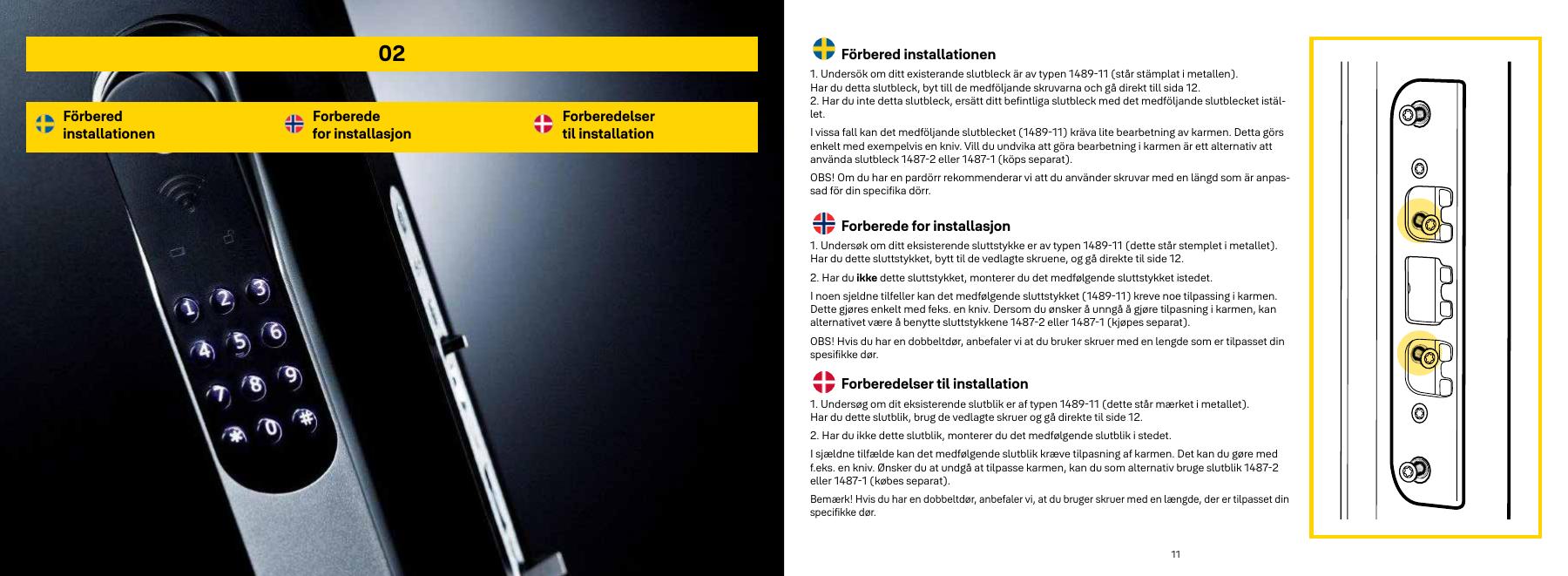
Compare the hinge side to the drawing. Set the lock box for the right or left door before mounting.
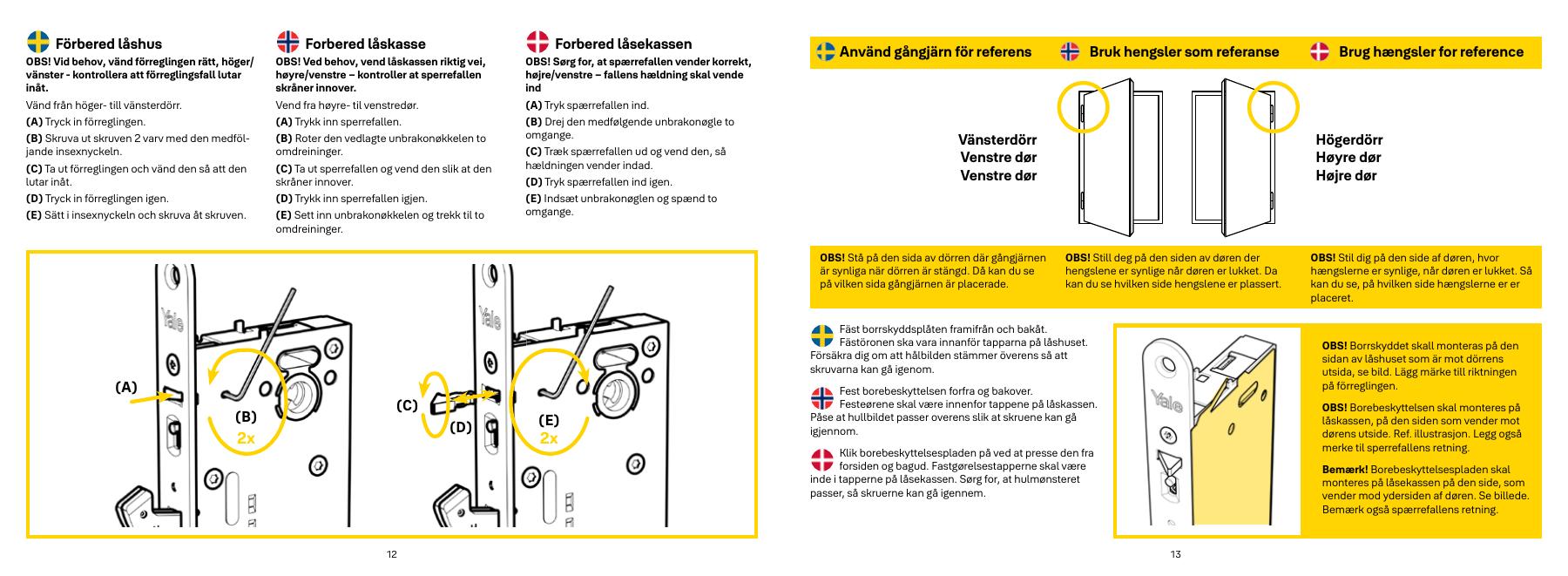
Attach the cable to the contact, before the lock box enters and bring the cable through the inside of the door. Keep the protective tip in the connector. The cable should not be clamped.
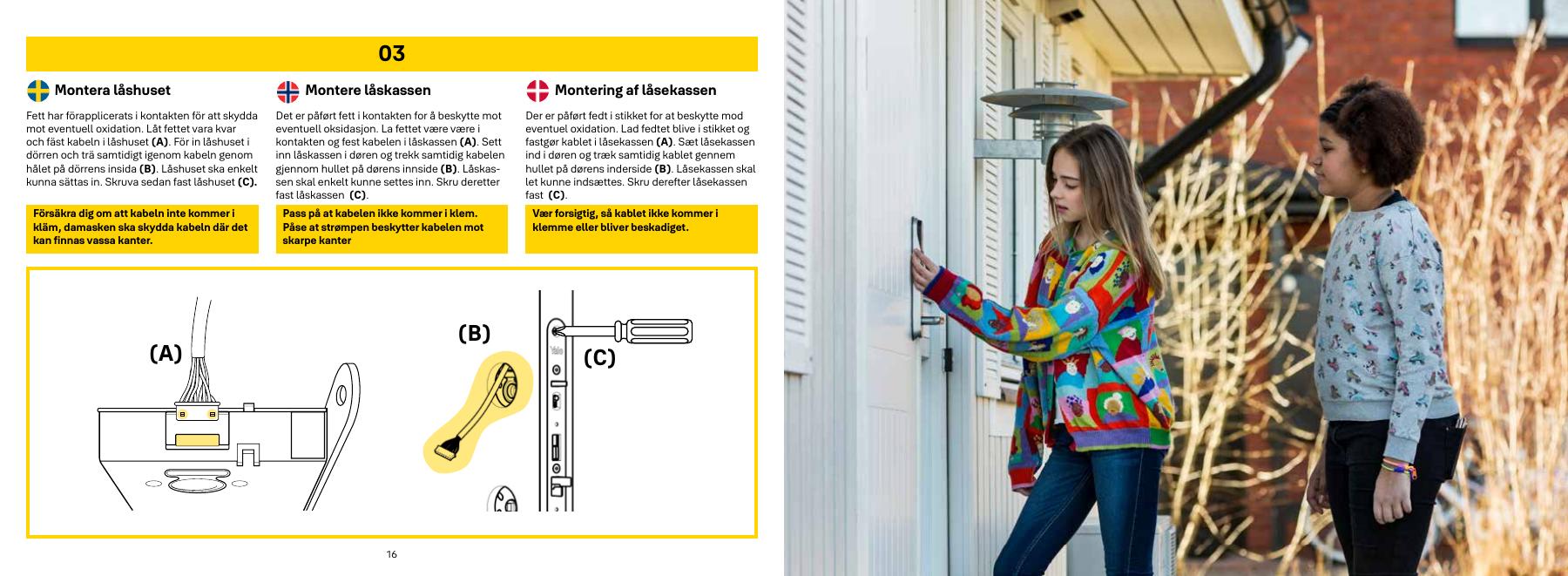
Follow the figures for cable, screws and positioning. Check that the sign is right against the door.
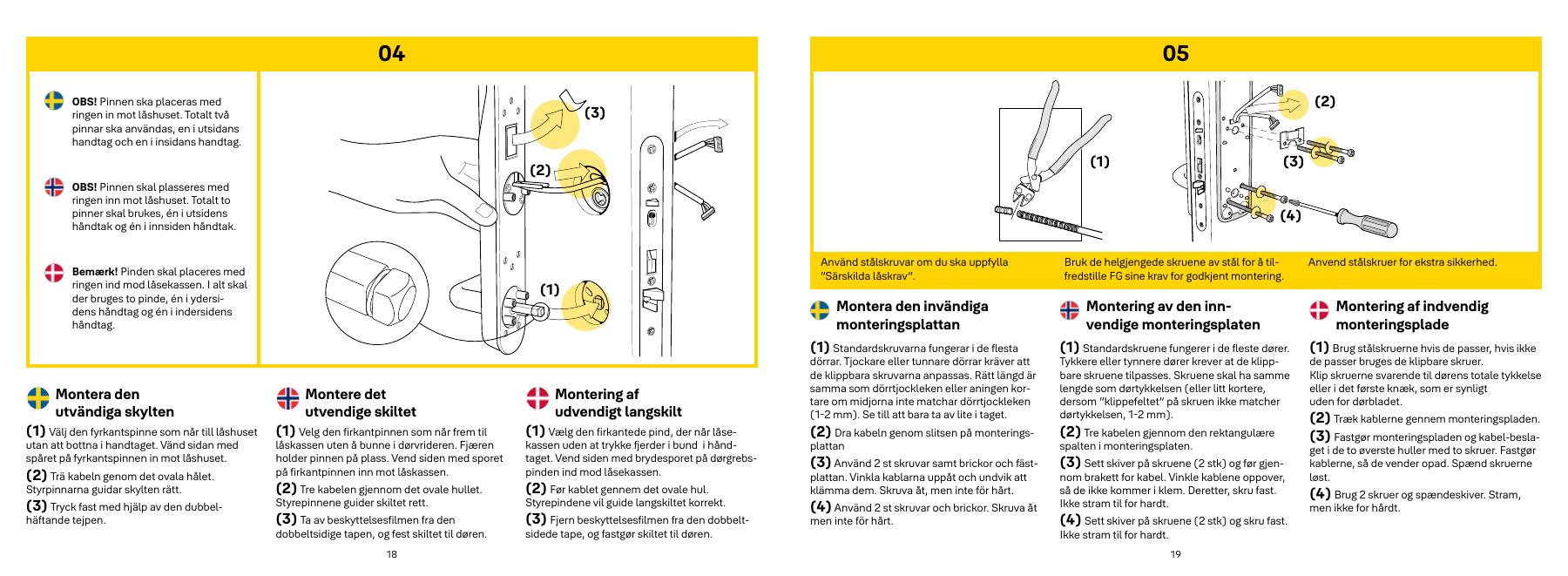
Check the lengths of the drawing before any racing. For short carries can prevent emergency opening.
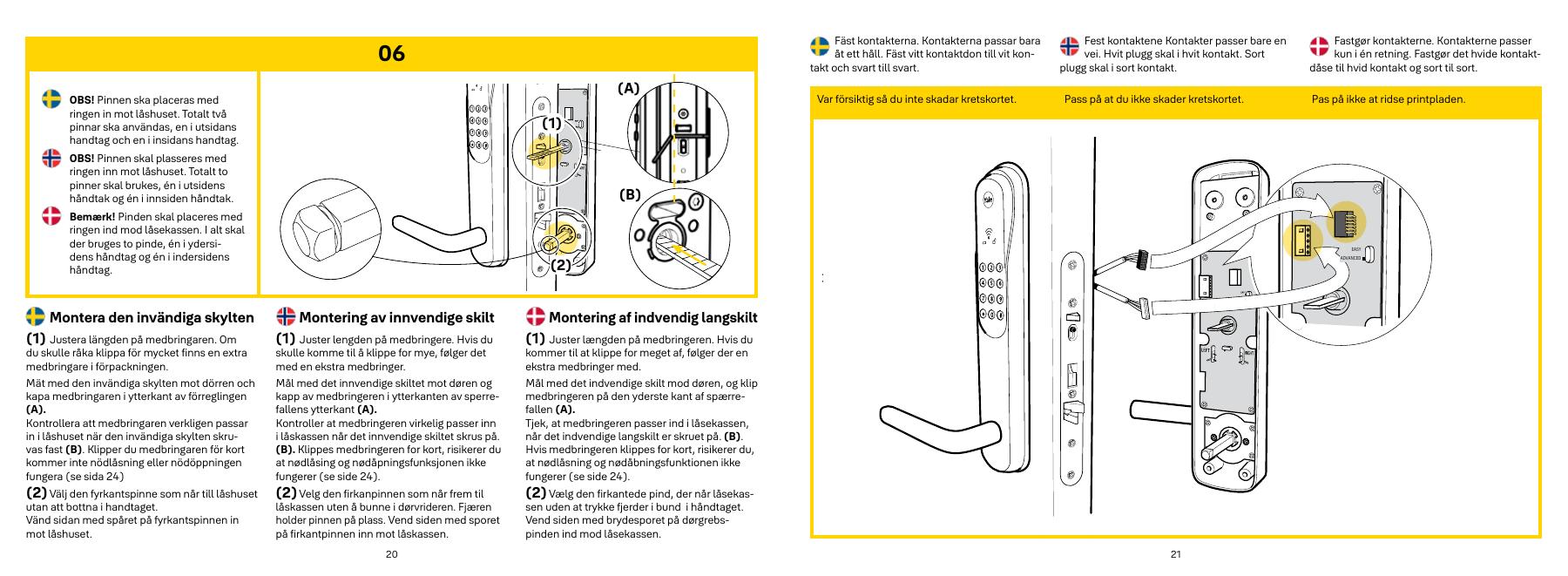
Follow the cable position in the figure. Do not hug the wires between signs and doors.
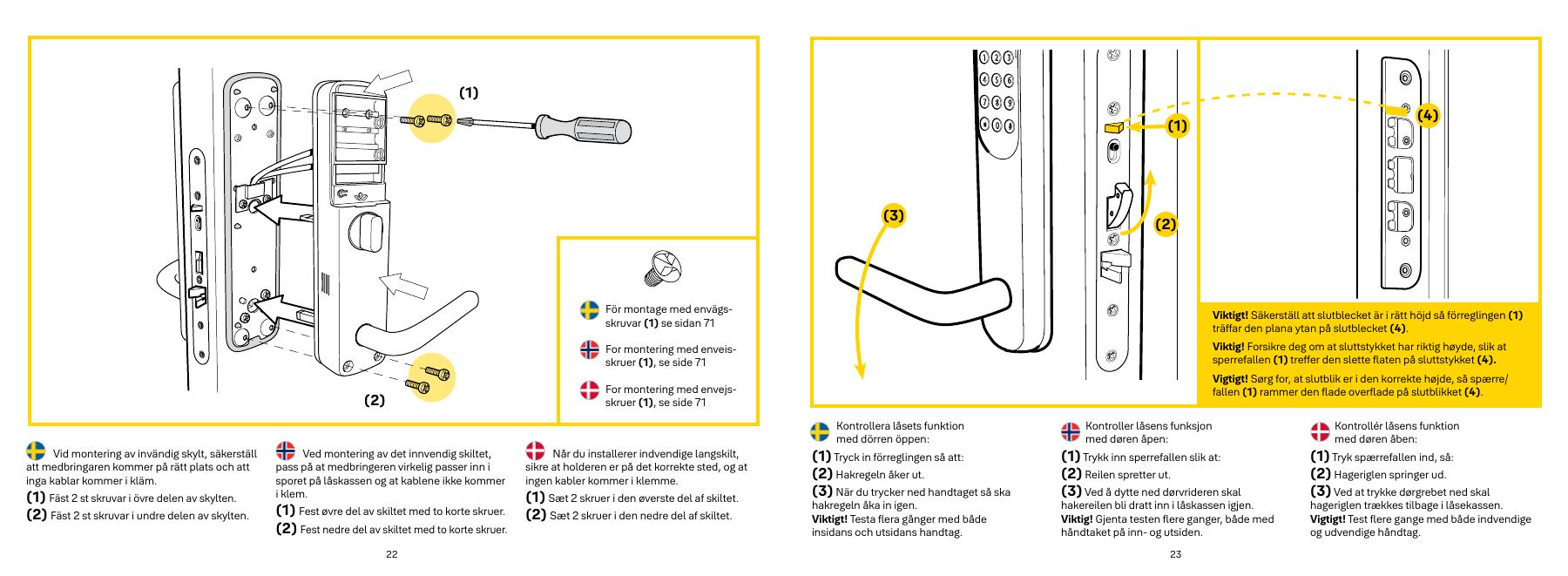
Start with open door and without batteries, as described by the manual. The figure shows the blockage, chiner, button twists and the end piece. Go through all the test points on the page before closing the door.
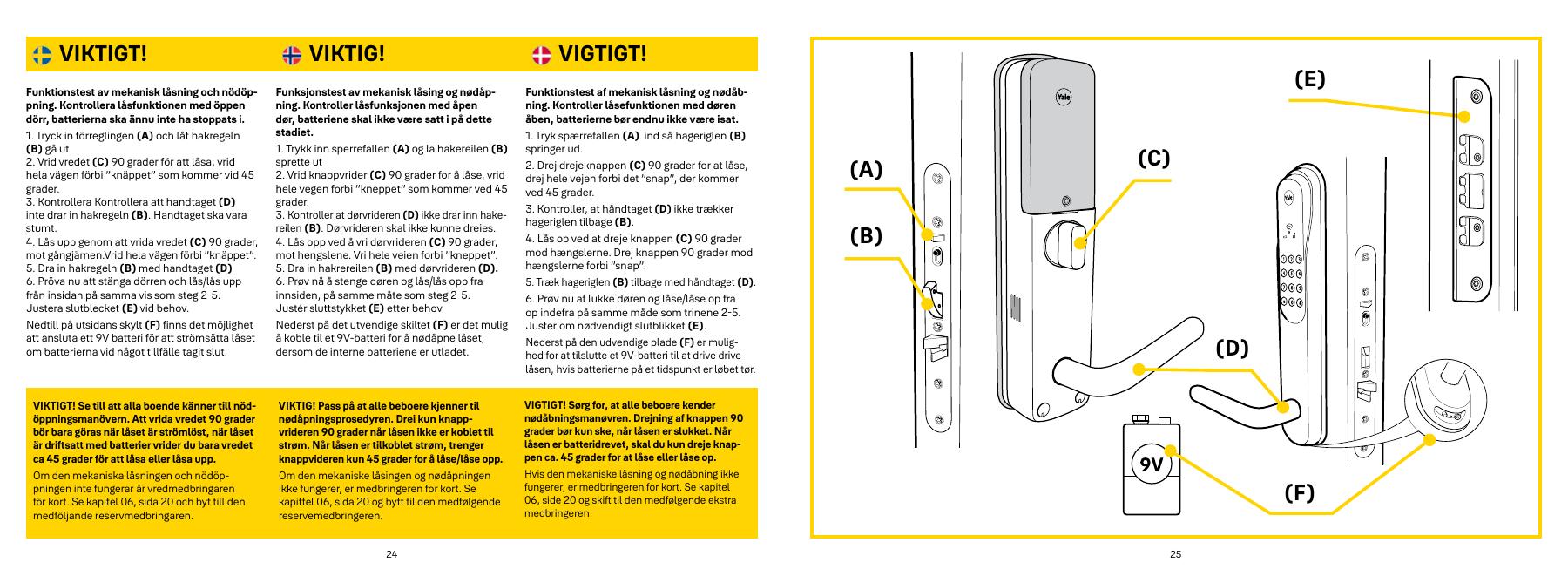
Choose the symptom and check the model scope before following the steps. This is troubleshooting, not a list of confirmed product defects.
Applies to: For a powered lock that will not complete locking. Keep the door open during the test.
Check the result: The lock can lock and unlock without pushing or lifting the door.
Stop and get help: If the open-door test fails, have the lock checked before further use. State which part of the test failed.
Open full guide with illustrations and sourcesSources: yalehome.se — open documentation www.youtube.com — open documentation
Applies to: For Yale Doorman Classic / V2N. You need a 9 V battery and a valid code or key tag.
Check the result: The lock responds to emergency power and opens with valid access.
Stop and get help: If there is still no response or a mechanical obstruction, contact service/a locksmith. Do not use force or a factory reset as emergency opening.
Open full guide with illustrations and sourcesSources: yalehome.se — open documentation
Applies to: For a Classic/V2N that does not respond normally. This is a restart, not deletion of codes.
Check the result: The lock responds normally and existing access works.
Stop and get help: If the lock still does not respond, contact service. The original manual does not specify a hold duration; do not improvise a long reset sequence.
Open full guide with illustrations and sourcesSources: yalehome.se — open documentation