
Use or create a simple scene
← More tasks for the same user
Before you start: Have access to the correct system and area. Use your personal account.
A scene groups actions. A rule performs actions automatically when a condition is met. Do not add automatic disarming or door opening to a scene without an agreed configuration.
Steps
- Open Automation → Scene.
- For an existing scene, read its name and check what it does before activating it.
- With administrative rights, choose Add scene, name it and add the requested actions.
- Check devices and areas, save with Submit/Save and test under controlled conditions.
You should see this: The scene performs the selected actions.
If it does not work
- If a menu or feature is missing, check your role, area and the task's source status.
- If the expected result does not appear, note the error, device and time. Contact the installer or responsible administrator.
Older screenshots – only show as reference
This is not the documentation of today's menu location.
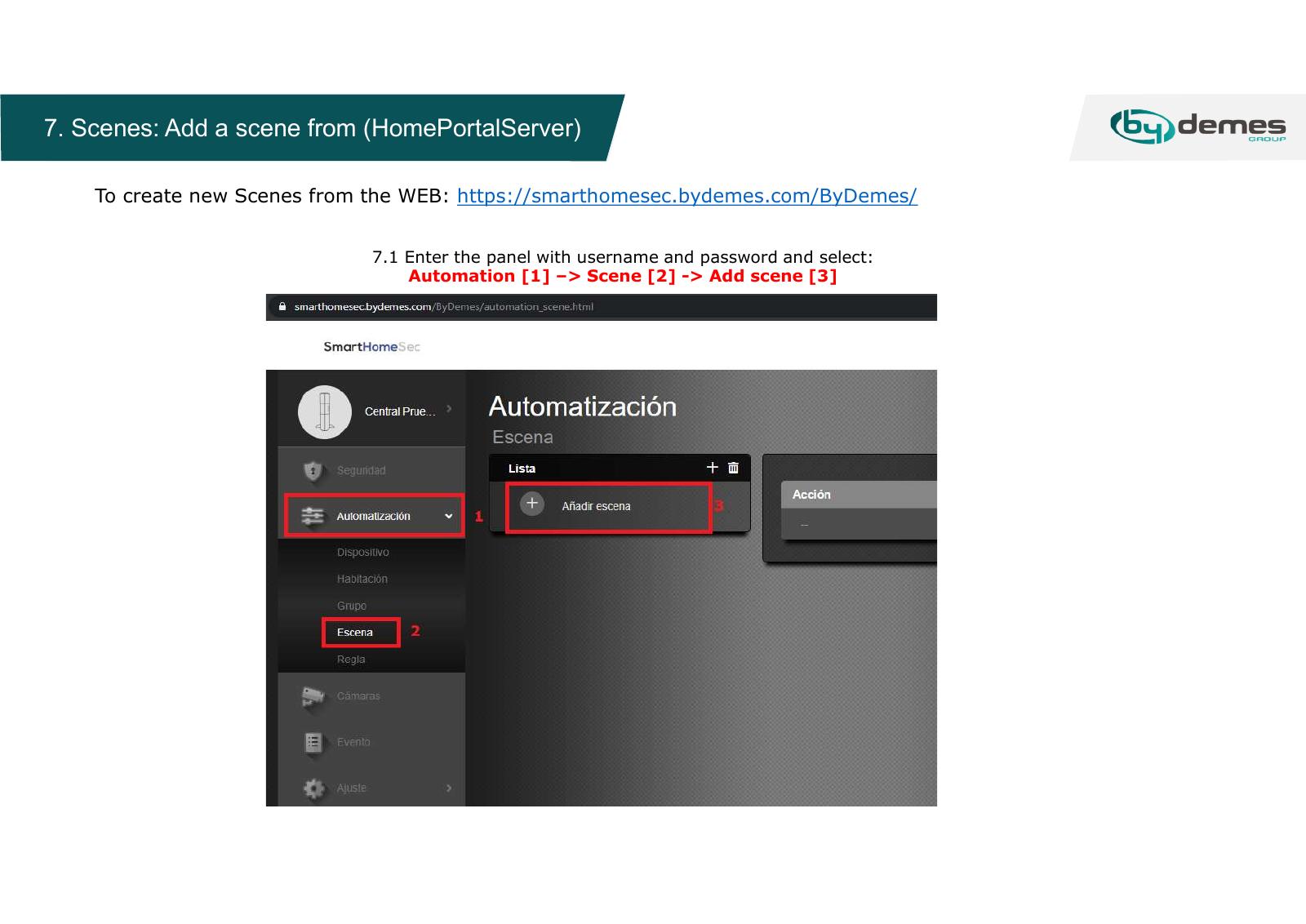
Updated screenshot for this task: missing.
Source Base and Date
The guide is compiled from the sources below. Menu selection from older PDFs is not confirmed in today's edition.
- Vesta Installation Manual – originalmanual hos GI Security — Date not specified; older web portal
Reviewed 08.09.2026. Control against demo plants: not performed.
Something not working?
Choose the symptom. Always check the model and connection before following a procedure.
Images, videos and sources
Images or figures are present on this page. Check the caption for model and version.
No direct troubleshooting video is registered on this page. A general manual is not labelled a troubleshooting video.