
Documents scenes and automatic rules
← More tasks for the same user
Before you start: Have assigned installer access, the correct panel model and the installation plan. Agree changes and test events with the responsible person.
The manufacturer's web-rules page contains an incorrect menu reference. Use the actual rules page in your version; do not assume Add scene creates a rule.
Steps
- Open Automation.
- For a scene, the manual shows Scene → Add scene. Give it a name describing its action.
- Check which devices and areas each action affects.
- For an automatic rule, document the trigger, conditions and actions before saving.
- Also test situations where the rule should not trigger.
You should see this: The scene or rule does only what was agreed.
If it does not work
- If a menu or feature is missing, check your role, area and the task's source status.
- If the expected result does not appear, note the error, device and time. Contact the installer or responsible administrator.
Older screenshots – only show as reference
This is not the documentation of today's menu location.
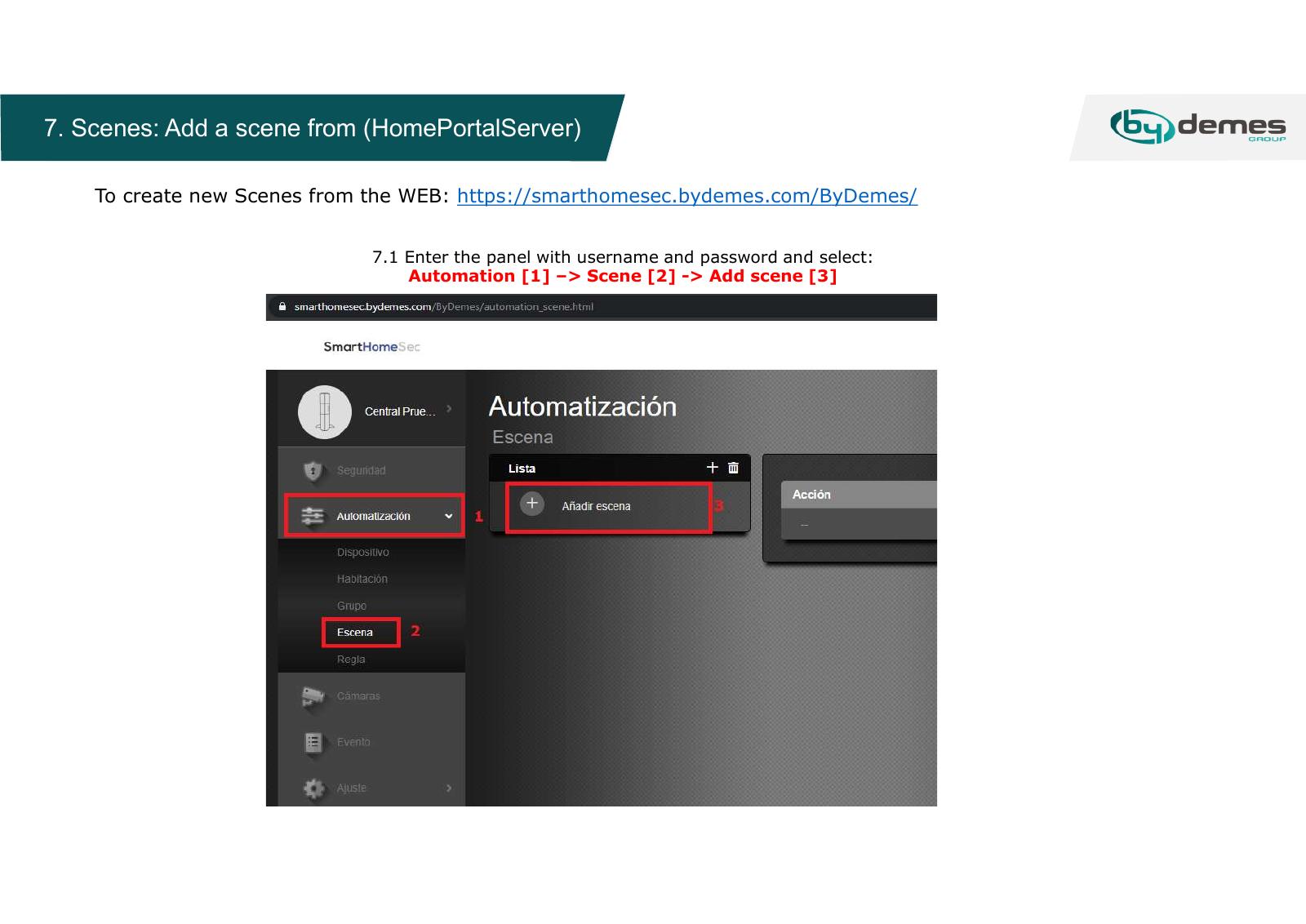
Updated screenshot for this task: missing.
Source Base and Date
The guide is compiled from the sources below. Menu selection from older PDFs is not confirmed in today's edition.
- Vesta Installation Manual – originalmanual hos GI Security — Date not specified; older web portal
- Vesta GitBook: SmartHomeSec Wizard — Running GitBook; version date not confirmed
Reviewed 08.09.2026. Control against demo plants: not performed.
Something not working?
Choose the symptom. Always check the model and connection before following a procedure.
Images, videos and sources
Images or figures are present on this page. Check the caption for model and version.
No direct troubleshooting video is registered on this page. A general manual is not labelled a troubleshooting video.