
Recording icon appears, but video doesn't start
← More tasks for the same user
Before you start: Have assigned installer access, the correct panel model and the installation plan. Agree changes and test events with the responsible person.
This applies to the Vesta ADV integration described in the source. Do not change recording schedules or delete recordings without agreement.
Steps
- Note the exact event, device and time.
- Check that the camera or NVR has functioning storage.
- Compare the camera/NVR clock, time zone and daylight-saving settings with the panel.
- Check the recording schedule. Vesta's documented quick playback may require continuous recording before the alarm.
- Compare settings with a functioning device and consult the manufacturer's troubleshooting guide before making changes.
You should see this: The cause has been narrowed to storage, timing, recording schedule or media configuration.
If it does not work
- If a menu or feature is missing, check your role, area and the task's source status.
- If the expected result does not appear, note the error, device and time. Contact the installer or responsible administrator.
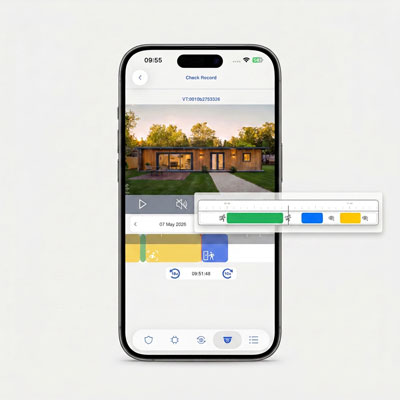
Watch the Western FW35I video on YouTube (Spanish) The link from By Demes 28.07.2026. The video is a function demonstration, not a complete manual.
Source Base and Date
The guide is compiled from the sources below. Menu selection from older PDFs is not confirmed in today's edition.
- Vesta GitBook: APV cameras and playback errors — Running GitBook; version date not confirmed
Reviewed 08.09.2026. Control against demo plants: not performed.
Something not working?
Choose the symptom. Always check the model and connection before following a procedure.
Images, videos and sources
Images or figures are present on this page. Check the caption for model and version.
A direct video link is present on this page. The link text identifies relevance and model.